How to Fix a Bunn Coffee Maker Like a Pro: A Beginner-Friendly Repair Guide
Commercial Bunn coffee makers are designed for heavy-duty use, brewing large volumes of coffee quickly and consistently. However, even durable machines can experience issues over time, including slow brewing, heating failures, inconsistent water flow, or electrical problems. For beginners, these problems can seem daunting, but with the right tools, safety precautions, and step-by-step guidance, most common issues can be diagnosed and fixed at home or in a small commercial setting. This guide covers essential troubleshooting tips, repair methods, and maintenance practices to keep your Bunn coffee maker performing reliably.
What Are the Most Common Bunn Coffee Maker Problems Beginners Face?
Even commercial-grade Bunn coffee makers experience wear and tear over time. In busy restaurants or cafes, constant brewing, high water use, and heavy-duty operation make machines more prone to issues. Here are the most common problems beginners and staff often encounter:
-
Heating Issues: Coffee brews slowly, water doesn’t reach the correct temperature, or the machine won’t heat at all. This usually happens when the heating element is burned out, the thermostat is malfunctioning, or scale buildup from hard water blocks proper heating.
-
Brewing Problems: Coffee may taste weak, only partial batches brew, or the machine drips excessively. These issues are typically caused by clogged spray heads, dirty brew funnels, or misaligned baskets that disrupt water flow and coffee extraction.
-
Power and Electrical Failures: The machine may fail to turn on, the display lights might stay off, or the operation could be intermittent. Common causes include loose wiring, tripped circuit breakers, blown fuses, or worn switches in older machines.
-
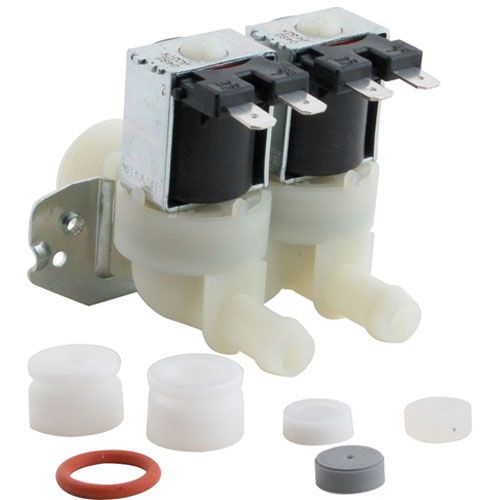
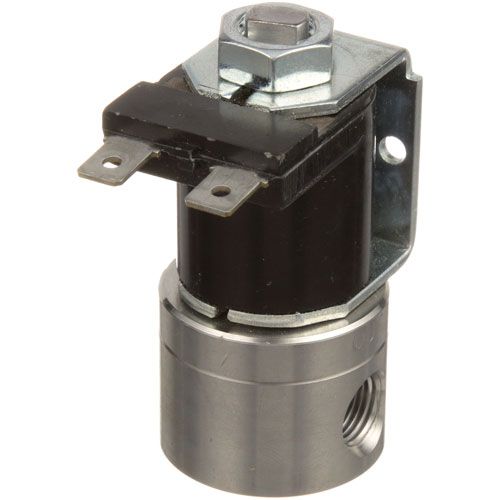
Water Flow and Pump Issues: Water may not flow into the brew basket properly, or unusual pump noises might occur during operation. This is often due to malfunctioning pumps, clogged water lines, or sediment buildup inside the plumbing.
-
Scale and Mineral Buildup: Slow brewing, off-tasting coffee, or longer heating times can result from limescale forming on heating elements, spray heads, and water lines due to hard water. Regular descaling helps prevent these problems.
Tip: Keep a small log of any recurring issues. Tracking problems helps identify which components need maintenance or replacement before they affect daily operations.
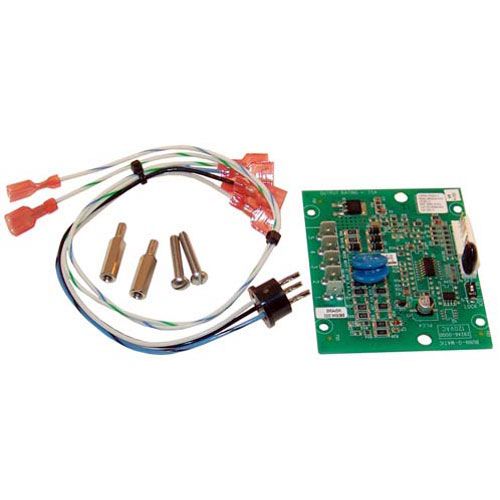
Shop now at PartsFe UK, your trusted kitchen equipment spare parts supplier for commercial restaurants, to keep your coffee machines running at peak efficiency. We offer a wide selection of Bunn coffee makers replacement parts, including coffee element kits, gaskets, seals, thermostats, and sensors, ensuring consistent brewing temperatures and the best coffee quality in your kitchen.
What Tools and Safety Steps Do You Need Before Fixing a Bunn Coffee Maker?
Below is a detailed breakdown of the essential tools and the safety procedures every beginner should follow before opening the Bunn coffee maker.
Essential Tools
-
Flathead screwdrivers
-
Adjustable wrench
-
Needle-nose pliers
-
Multimeter
-
Food-safe descaling solution
-
Cleaning brush
Safety Steps Before Beginning Repairs
Coffee brewers combine electricity, pressurized water, and high heat. Following proper safety steps protects both the staff and the equipment from injury & damage.
-
Unplug the Machine Completely: Always disconnect the brewer from its power source before opening any panels. If the unit is hardwired, turn off the designated circuit breaker. Even when switched off, internal components may still carry electrical current. Confirm power disconnection before touching internal wiring.
-
Allow the Unit to Cool Down Fully: Restaurant-grade coffee makers maintain hot water in internal tanks at all times for rapid brewing. Heating elements and metal surfaces can remain hot long after shutdown. Wait at least 30 minutes before servicing to prevent burns from residual heat.
-
Use Gloves and Protective Eyewear: Wear heat-resistant gloves when handling internal parts and chemical-resistant gloves when using descaling solutions. Safety glasses protect against accidental splashes or debris when cleaning or disconnecting water lines.
-
Work in a Well-Lit and Organized Area: Move the machine to a stable, dry workspace if possible. Adequate lighting ensures you can clearly see wiring connections, screws, and small components. Keep the removed parts organized to avoid incorrect reassembly.
-
Follow Manufacturer Service Instructions: Commercial models have specific wiring layouts and internal configurations. Always refer to the official service manual for your Bunn model before disassembly. The manual provides wiring diagrams, troubleshooting charts, and proper replacement procedures, reducing the risk of further damage.
Caution: Always unplug the coffee maker and let it cool before servicing. Wear protective gloves and eyewear to avoid burns, electrical shock, or chemical exposure. Follow the manufacturer’s instructions and never bypass safety
Check out commercial coffee machines: how to choose the best one to find the right model and features for your restaurant
How Can You Fix Heating, Brewing, and Power Issues Step by Step?
Fixing common coffee maker issues involves a systematic approach that targets heating, water flow, electrical components, and internal plumbing. By diagnosing each function step by step, beginners can safely restore performance without causing further damage.
Step 1: Fix Heating Problems
Bunn coffee maker heating element problems can be addressed by unplugging the machine and opening the service panel to access the heating components. Check the heating element for damage or scale and test continuity with a multimeter. Descale if mineral buildup is present, and replace the element if it shows no continuity or heavy wear.
Step 2: Resolve Brewing and Flow Issues
If your Bunn coffee maker is not brewing, start by cleaning the spray head, brew funnel, and basket to clear residue and clogs. Flush the internal water lines with a descaling solution and ensure the brew basket is correctly aligned. Run a water-only cycle to confirm smooth and consistent flow.
Step 3: Troubleshoot Power Failures
Verify that the outlet and circuit breaker are functioning properly. Inspect the power cord, fuses, and switches for any damage or faults. Tighten loose wiring and replace blown fuses or worn switches if needed.
Step 4: Address Pump and Water System Issues
Listen for unusual pump sounds that may signal internal issues. Check inlet lines for clogs or kinks and clean any accessible sediment in the tubing. Replace the pump if the water flow remains inconsistent after cleaning.
Check out how to quickly fix heating, brewing, or component issues and keep your Bunn coffee machines running smoothly:
When Should You Repair vs Replace Bunn Coffee Maker Parts?
Minor issues such as clogs or worn gaskets can often be fixed, while critical components may need to be replaced. Refer to the table below for guidance on Bunn coffee maker repair & replacement.
|
Issue / Component |
Repair |
Replace |
|
Clogged spray heads or brew funnels |
Clean thoroughly with descaling solution |
Replace only if damaged or cracked |
|
Worn gaskets or seals |
Lubricate or adjust |
Replace if leaking or torn |
|
Scale buildup on heating elements |
Descale to restore function |
Replace if heavily corroded or fails continuity |
|
Heating element |
Test continuity and descale; repair minor issues |
Replace if burned out or repeatedly fails |
|
Water pump |
Clear clogs and flush lines |
Replace if the water flow remains inconsistent or the pump is faulty |
|
Power switches, fuses, or wiring |
Tighten connections or replace minor components |
Replace if repeatedly failing or visibly damaged |
|
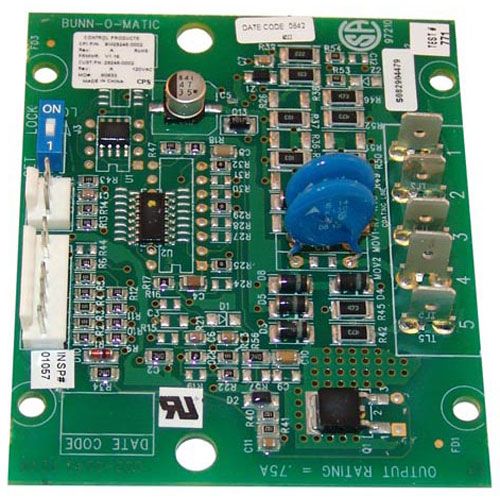
Control boards |
Reset or check connections |
Replace if malfunctioning or causing repeated errors |
Knowing when to repair or replace coffee maker components can prevent further damage. Using quality replacement coffee machine parts helps keep your equipment running smoothly and efficiently.
Summary: How Regular Maintenance Helps You Fix and Prevent Bunn Coffee Maker Issues
Regular maintenance and timely repairs keep a Bunn coffee maker running smoothly. Issues like Bunn Coffee Maker heating failures and power problems can usually be fixed by cleaning, descaling, and checking key components. Following proper safety steps and using the right tools ensures repairs are safe and effective. Consistent care improves coffee quality and extends the machine’s lifespan.
Key Takeaways
-
Always unplug the machine and let it cool before servicing, and wear gloves and eyewear for safety.
-
Use essential tools like screwdrivers, pliers, a multimeter, and a descaling solution for effective troubleshooting.
-
Heating problems often result from scale buildup or worn elements; regular descaling keeps water at the right temperature.
-
Weak coffee, partial batches, or dripping usually come from clogged spray heads, dirty funnels, or misaligned baskets.
-
Power failures may stem from loose wiring, blown fuses, or worn switches that need inspection and repair.
-
Regular cleaning, descaling, and inspections prevent clogs, maintain coffee quality, and extend machine life.
FAQs
Can a Bunn CW series coffee maker be repaired?
Yes, most CW series machines can be repaired by cleaning, descaling, or replacing small components such as spray heads or gaskets. For electrical issues, ensure safety precautions are followed or consult a professional.
Why is my BUNN commercial coffee maker brewing so slowly?
If your Bunn coffee maker slow drip problem occurs, it’s often caused by mineral buildup, clogged spray heads, or faulty water lines. Performing regular cleaning and descaling usually resolves this issue and restores normal brewing speed.
How often should I clean a commercial BUNN machine to prevent clogs?
It’s recommended to clean and descale a commercial unit at least once a month. High-usage environments may require weekly maintenance to prevent mineral buildup and ensure optimal brewing speed.
|
Disclaimer: This content is for general informational purposes on troubleshooting and repairing Bunn coffee makers. Always follow the manufacturer’s instructions and safety guidelines, and consult a certified technician for complex repairs or if you are unsure about any procedure. |